Get AI to Generate Correct Mermaid Diagrams
AI-generated Mermaid fails on unquoted labels, stray prose, and full-width punctuation. Fix it with prompt patterns, an error-fix table, and a validation loop.
You ask ChatGPT for a deployment flowchart. It answers in seconds, confident and thorough, and finishes with a tidy Mermaid code block. You paste it into a renderer and get a red banner: "Syntax error in text". No line number, no offending token, no hint where to look.
JetBrains' Developer Ecosystem survey found that 90% of developers regularly use at least one AI coding tool (JetBrains, 2026), and diagram generation is a task developers hand over eagerly. It also fails far more often than the same model's application code.
The failures are not random. Nearly all of them trace to one of four root causes, each with a specific fix. This article gives you the error-fix table, three copy-paste prompt templates, and a 30-second validation loop that turns render failures into working AI Mermaid diagrams.
TL;DR
- AI-written Mermaid breaks for four main reasons: unquoted special characters in labels, narration inside the code fence, statements crammed onto one line, and full-width/CJK punctuation.
- Lock the output in your prompt: one mermaid fence only, an explicit diagram type and direction, double quotes around labels, one statement per line.
- When code breaks, paste it into a syntax checker that reports the offending line number, then feed the exact error back to the model and ask for a full re-output.
- Valid code can still render as a mess. Fix direction and subgraphs, or split the diagram in two.
Why AI-generated Mermaid breaks so often
An LLM writes Mermaid by predicting the next token from patterns in its training data, not by checking output against the grammar. Token prediction is autocomplete at scale: the model estimates which text usually follows, while a parser is the component that checks text against the grammar's rules and rejects violations. The Mermaid on the open web is full of broken snippets, and the model reproduces those errors as fluently as the correct syntax.
It also has no parser watching over its shoulder. Nothing tracks that a [ from three lines back is still open, so the code arrives plausible and unverified.
CodeRabbit's 2025 State of AI vs. Human Code Generation report found that AI-authored pull requests averaged 10.83 issues per PR versus 6.45 for human-authored PRs (CodeRabbit, 2025), roughly 1.7x more. Academic evaluation reaches the same conclusion from a different angle: benchmark correctness alone overstates how production-ready LLM code is, which is why structured review remains necessary (Szych & Schwerk, 2026). Diagram code gets even less scrutiny, because nobody writes tests for a flowchart; defects survive untouched until render time.
Favorable sentiment toward AI tools fell to 60% in Stack Overflow's 2025 Developer Survey, down from more than 70% (Stack Overflow, 2024) across 2023 and 2024. Much of that gap is the distance between "the AI answered instantly" and "the answer worked".
Mermaid's default failure makes it worse: a generic "Syntax error in text" banner with no pointer to the guilty line. Finding the error is a job for a parser, not for your eyes.
The four root causes, with fixes
Nearly every "Syntax error in text" traces back to 1 of 4 causes: special characters in unquoted labels, narration inside the fence, statements joined without separators, and full-width/CJK punctuation the lexer cannot tokenize. In the AI-generated code I analyzed on this site, cause 1 leads by a wide margin. Next come narration in the fence, full-width punctuation, and crammed statements. The ranking is relative frequency, not exact counts. The table is the quick reference; the subsections explain the mechanism.
| Root cause | Broken example | Fixed example | Why the parser rejects it |
|---|---|---|---|
| Unquoted special characters in a label | A[Deploy (us-east-1)] --> B |
A["Deploy (us-east-1)"] --> B |
The lexer treats ( and ) as shape delimiters, not label text |
| Narration inside the code fence | Here's the deployment flowchart: above flowchart TD |
Delete everything outside the diagram body | Line 1 must be a diagram declaration; every later line must parse as a statement |
| Statements joined without separators | A --> B C --> D on one line |
A --> B and C --> D on separate lines |
A newline or ; ends a statement; without one the parser keeps reading one impossible statement |
| Full-width/CJK punctuation | A(提交订单) --> B |
A["提交订单"] --> B |
( matches no token in the ASCII alphabet, so the parse fails before a shape opens |
1. Special characters in unquoted labels
Mermaid's lexer is a state machine built around shape delimiters: [ opens a rectangle, ( a rounded node, { a diamond. Outside a quoted string, those characters mean "shape boundary", never punctuation. In A[Build image (v2.4)], the lexer reads the ( as a second shape opening inside the first; in C[Promote [v2.4]], the inner ] closes the shape early.
A double quote flips the lexer into string mode, where everything up to the closing quote is literal text.
Broken:
flowchart TD
    A[Build image (v2.4)] --> B[Run smoke tests]
    B --> C{Pass?}
    C -->|yes| D[Deploy to prod (us-west)]
Fixed:
flowchart TD
    A["Build image (v2.4)"] --> B["Run smoke tests"]
    B --> C{Pass?}
    C -->|yes| D["Deploy to prod (us-west)"]
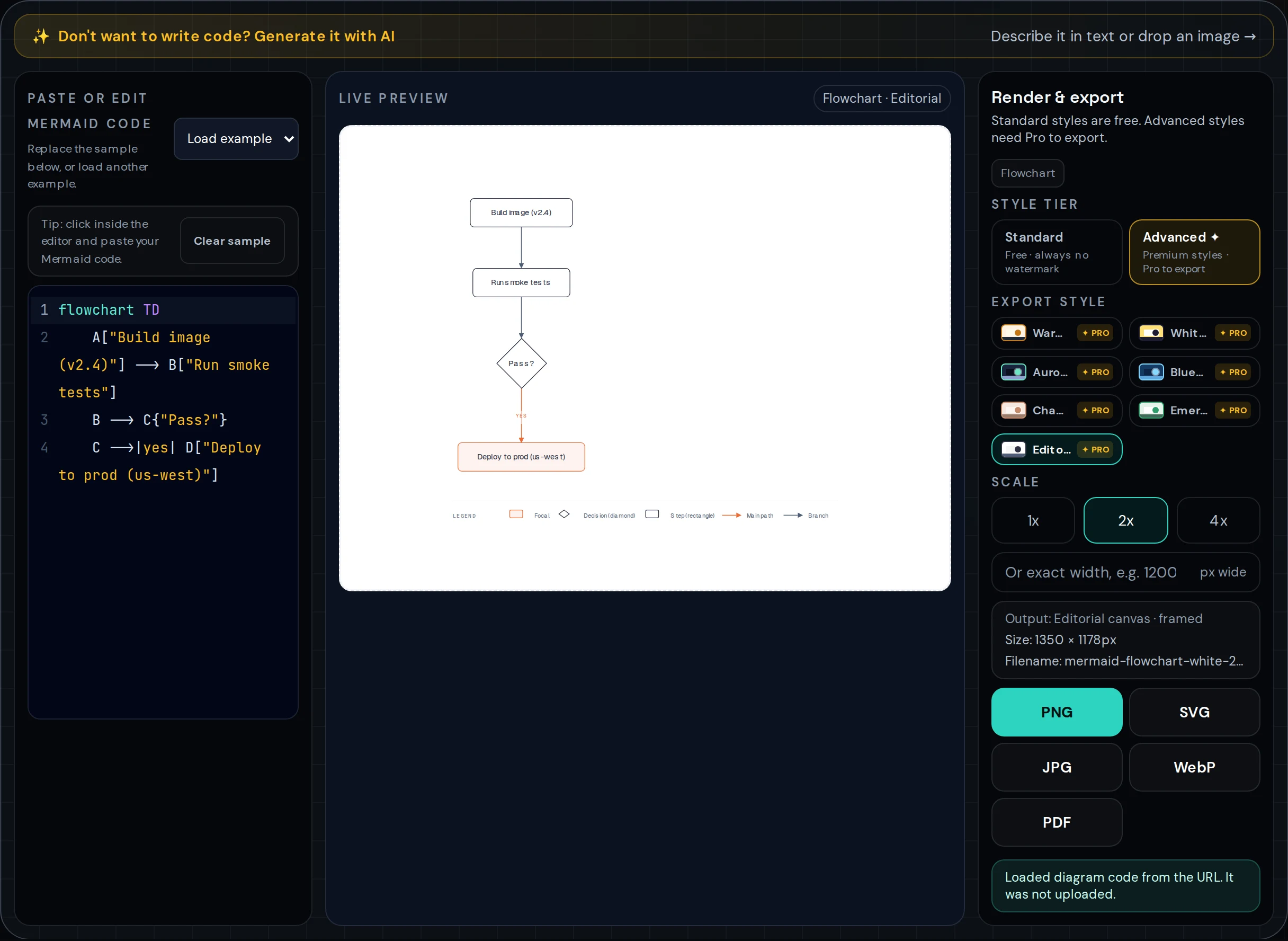
Quote anything containing parentheses, brackets, or braces; quote everything else if you want one less decision to make.
2. Narration mixed into the diagram body
The parser treats the entire fence as one program. The first line must be a diagram declaration such as flowchart TD, and every line after it must parse as a statement. There is no third category, so a helpful line like "Note: add a manual approval step here" is a syntax error, not a comment.
Broken:
Here's the deployment flowchart:

flowchart TD
    A[Push to main] --> B[CI pipeline]
    Note: add a manual approval step here
    B --> C[Deploy]
Fixed:
flowchart TD
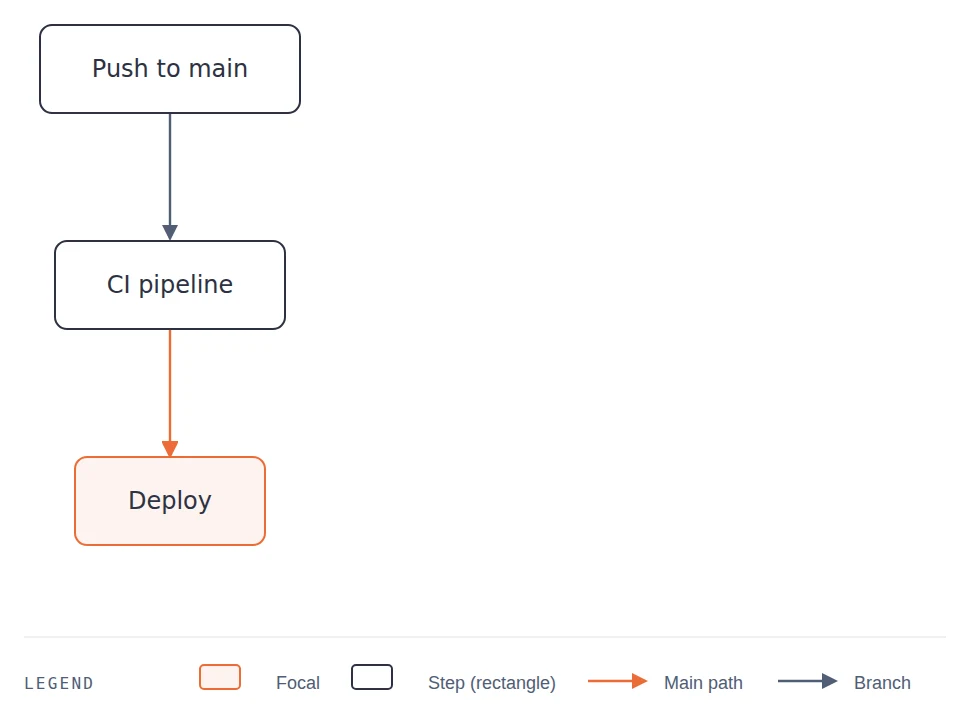
    A[Push to main] --> B[CI pipeline]
    B --> C[Deploy]
3. Statements crammed onto one line
A newline tells the parser a statement is over; a semicolon does the same job explicitly. Modern flowcharts do not need trailing semicolons, so the failure runs the other way: the model puts several edges on one line, the parser finishes the first edge, then meets a bare node ID that cannot continue the statement. Sequence diagrams fail the same way when a message is split across two lines.
Broken:
flowchart TD
    A[Push] --> B[Build] C[Test] --> D[Deploy]
Fixed:
flowchart TD
    A[Push] --> B[Build]
    B --> C[Test]
    C --> D[Deploy]
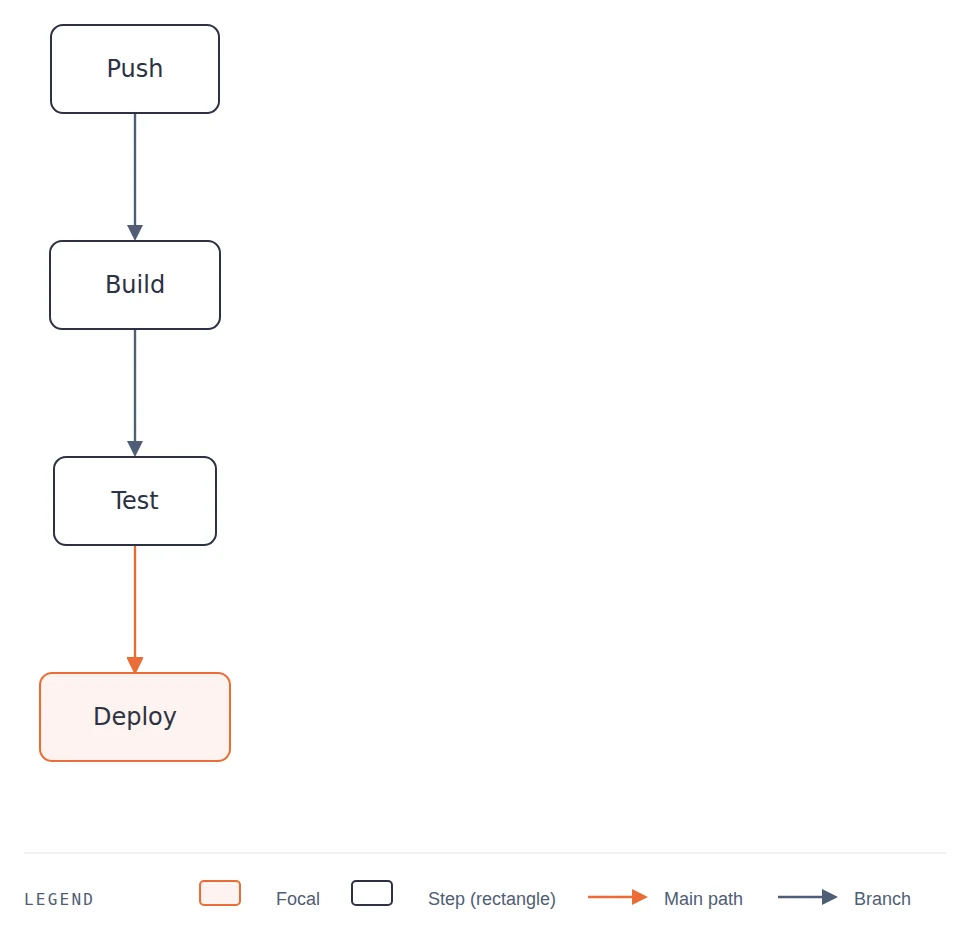
One statement per line is the rule to enforce; if two statements share a line, a ; between them makes it legal.
4. Full-width and CJK punctuation
The lexer knows one delimiter alphabet: ASCII. To it, (, ), 「, 」, and , are ordinary characters with no structural meaning. In a Chinese-language chat, the model may write shapes as A(提交订单): no shape opens, because ( is not a delimiter, and the lexer hits a character that matches no token at all.
Broken:
flowchart TD
    A(用户提交订单) --> B(支付网关扣款)
    B --> C{库存足够?}
Fixed:
flowchart TD
    A["用户提交订单"] --> B["支付网关扣款"]
    B --> C{"库存足够?"}
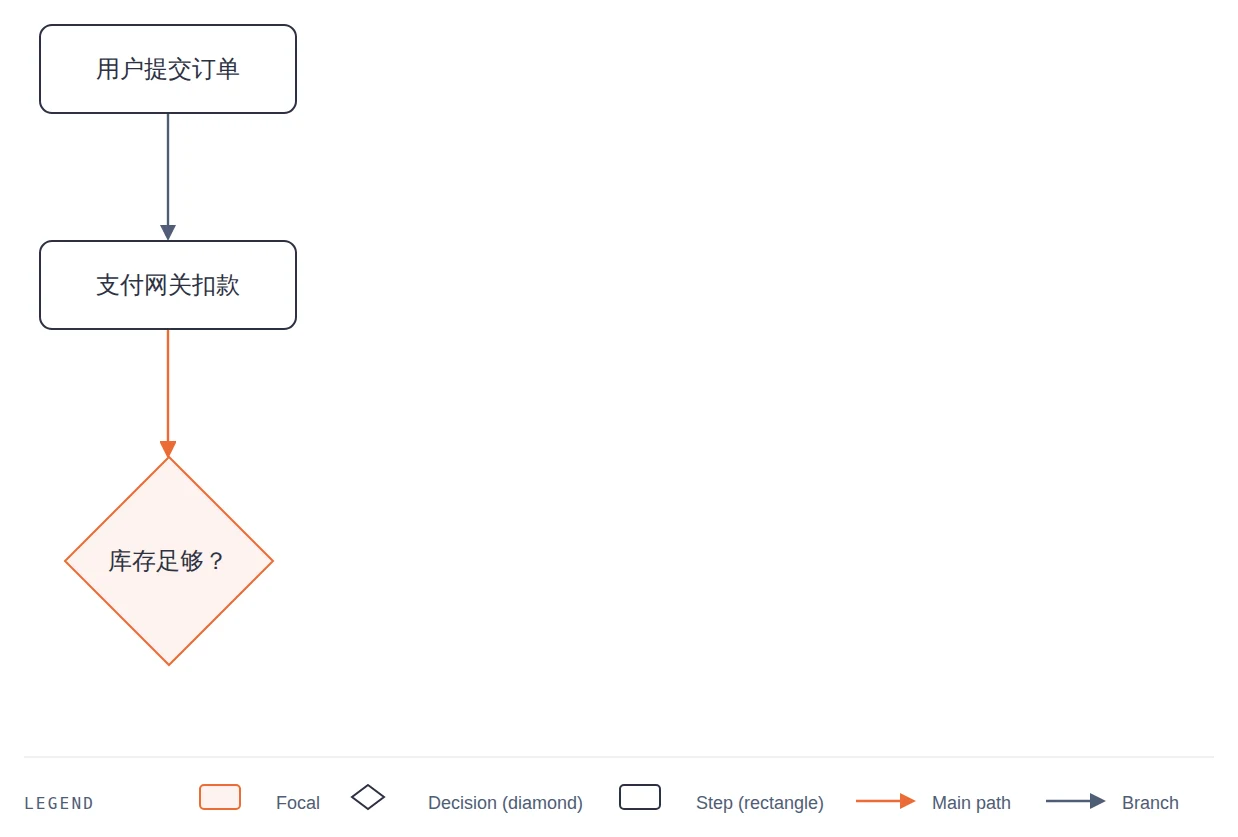
Chinese characters in quoted labels render fine; only the punctuation is the problem.
Prompt patterns that consistently work
Three patterns produce renderable code far more reliably than a bare "draw me a diagram": lock the output, add a self-check for styled diagrams, and iterate by feeding the exact parser error back. Each supplies a constraint the model cannot enforce on itself.
Pattern 1: the locked basic prompt. Use it for everyday flowcharts and sequence diagrams.
Create a Mermaid [flowchart | sequence diagram] of [process description].

Hard rules:
1. Your entire answer is one fenced code block tagged "mermaid". No text before or after it.
2. The first line of the block is exactly: flowchart TD
3. One statement per line.
4. Wrap every node label in double quotes, e.g. A["Deploy to staging"].
5. No prose, notes, comments, or markdown inside the block.
Pattern 2: the styled prompt with a self-check. Use it when you want classDef styling or subgraphs.
Create a Mermaid flowchart, direction LR, of [process description].

Styling:
- Define classDef "service" (fill #e3f2fd), "risk" (fill #ffebee), "done" (fill #e8f5e9).
- Apply them with class statements at the end of the diagram.

Self-check before answering. Fix silently until every item passes:
- The first line is exactly "flowchart LR".
- Every label containing ( ) [ ] { } or , is inside double quotes.
- No instruction text or explanations inside the code fence.
- One statement per line.
- Every subgraph block ends with "end".
Then output the complete diagram in a single mermaid fence and nothing else.
Pattern 3: the iteration prompt. Use it after a render failure: paste the checker's exact message and require a complete re-output, not a fragment. Fragments drift; a full re-output keeps every node and edge consistent.
The Mermaid code below fails to render. The parser reports:

[paste the exact error message here]

[paste the full code here]

Fix the offending line, keep every other node and edge intact, and output the complete corrected diagram in one mermaid fence. Do not explain, do not output a diff or a fragment.
If you would rather skip prompt maintenance entirely, the free AI Mermaid generator applies the fence lock, quoting, and statement rules from this section by default.
The 30-second validation loop
Do not hunt for the error by eye. Error-feedback looping is the fix cycle that works: a tool reports the offending line, you match that line against the four root causes, and you hand the exact error back to the model.
Step 1: paste the code into a syntax checker that reports the line. Generic renderers show a red banner; a real checker shows the statement that failed. The Mermaid syntax checker reports the offending line number plus the tokens the parser expected at that point. That turns "somewhere in these forty lines" into "line 2, and here is what it wanted instead".
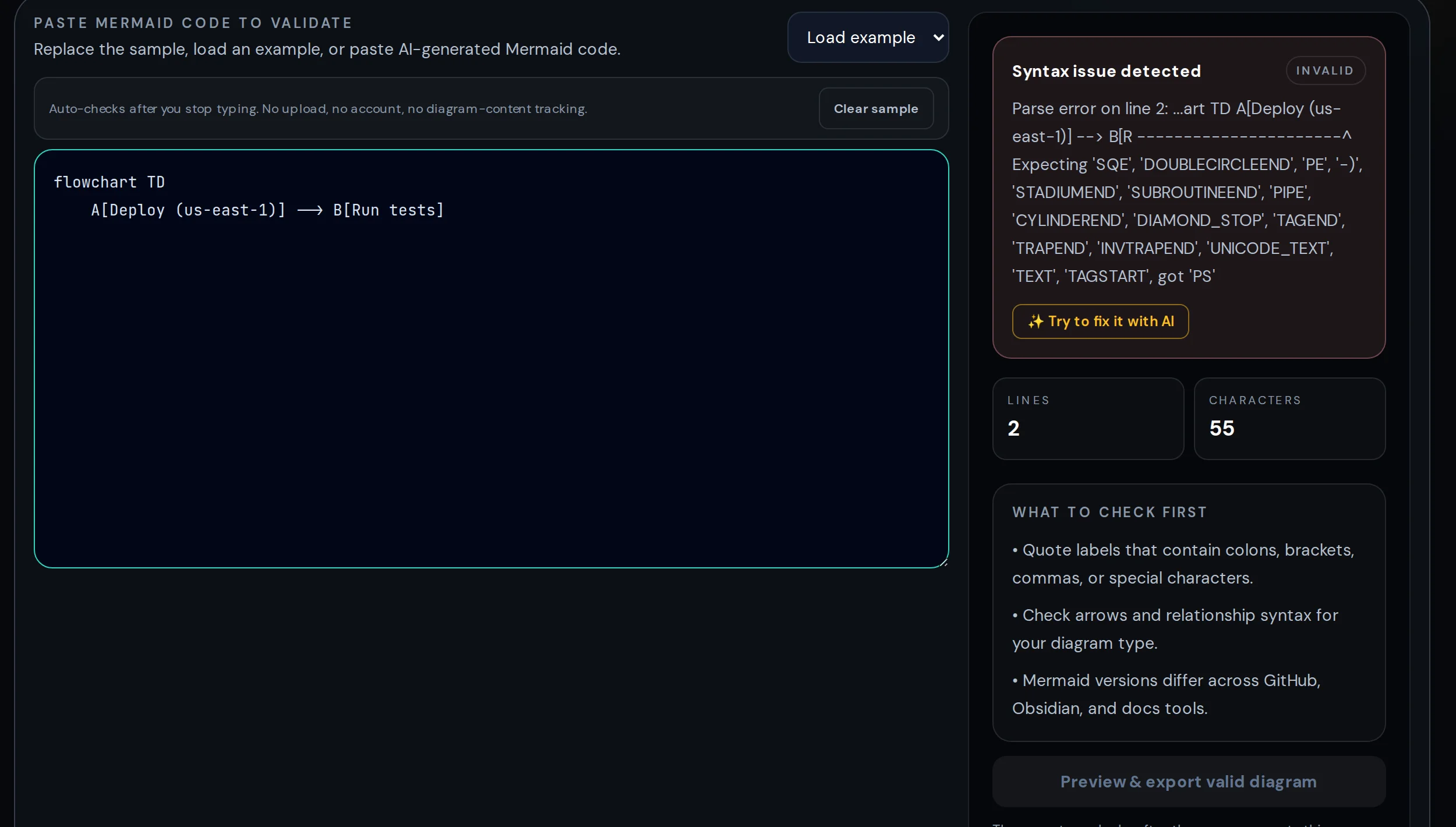
Step 2: match the line to the table. The mapping is one to one. A parenthesis inside a label is cause 1. A sentence inside the fence is cause 2. Two edges sharing a line is cause 3. Full-width brackets where square ones belong is cause 4.
Step 3: feed the error back. Use pattern 3 above, paste the exact message, and require a complete re-output.
I operate the site's AI-fix feature. My triage of user repair rounds is qualitative: unquoted-label and crammed-line errors converge in one round. Full-width punctuation sometimes takes two, because the model fixes the labels but leaves a stray , behind. Cap the loop at two or three rounds; after that, a manual fix using the table is faster.
When the code is valid but the diagram is wrong
A diagram that parses but reads badly is a specification problem, not a syntax problem. The model made layout decisions you never stated, so the fix is to state them and regenerate, not to drag boxes by hand.
Direction. The first line decides the geometry. flowchart TD (top-down) fits hierarchies; flowchart LR (left-right) fits pipelines and hand-offs. A long chain rendered top-down becomes a tall strip you scroll through. Models pick a direction silently, so name it in the prompt.
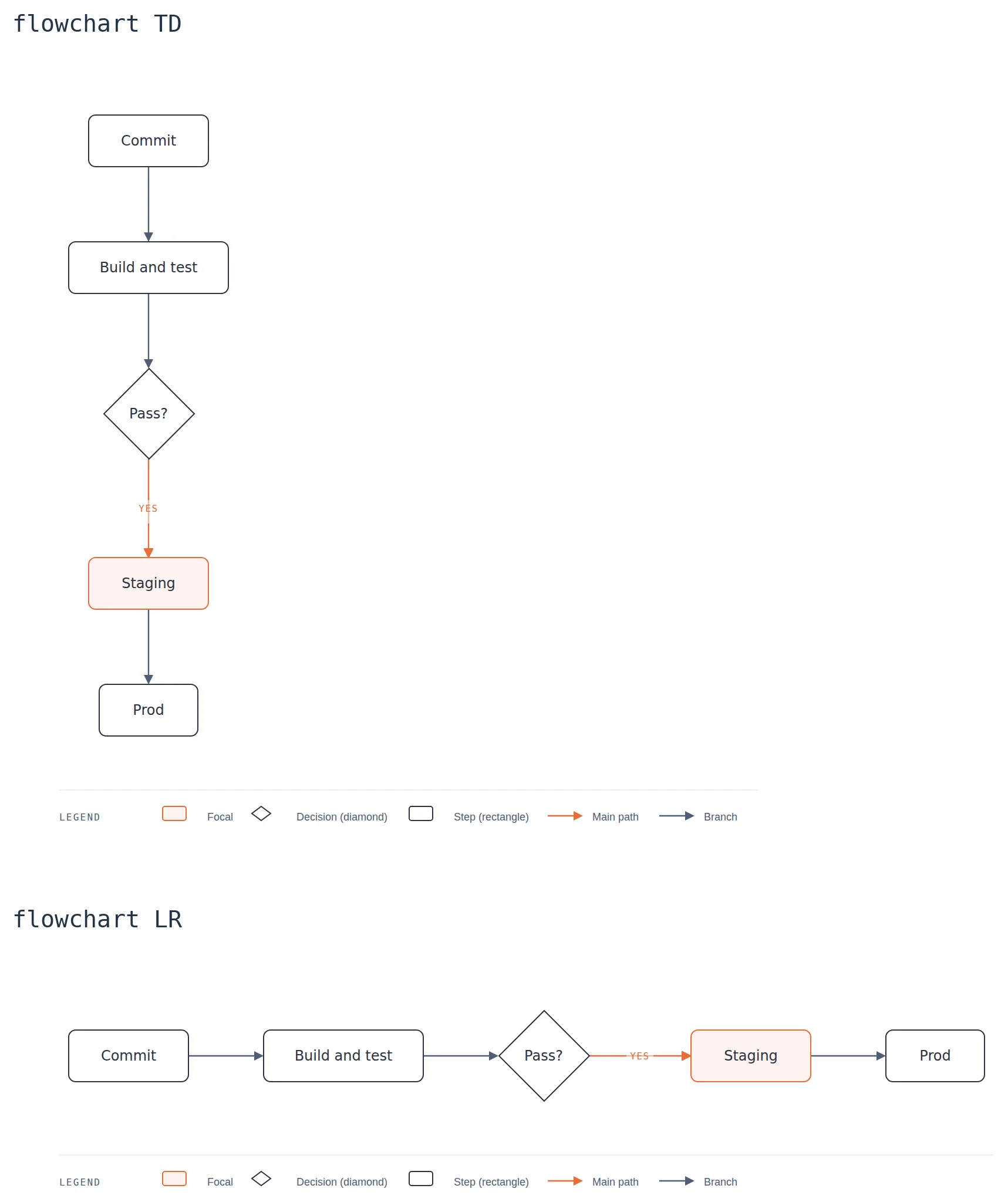
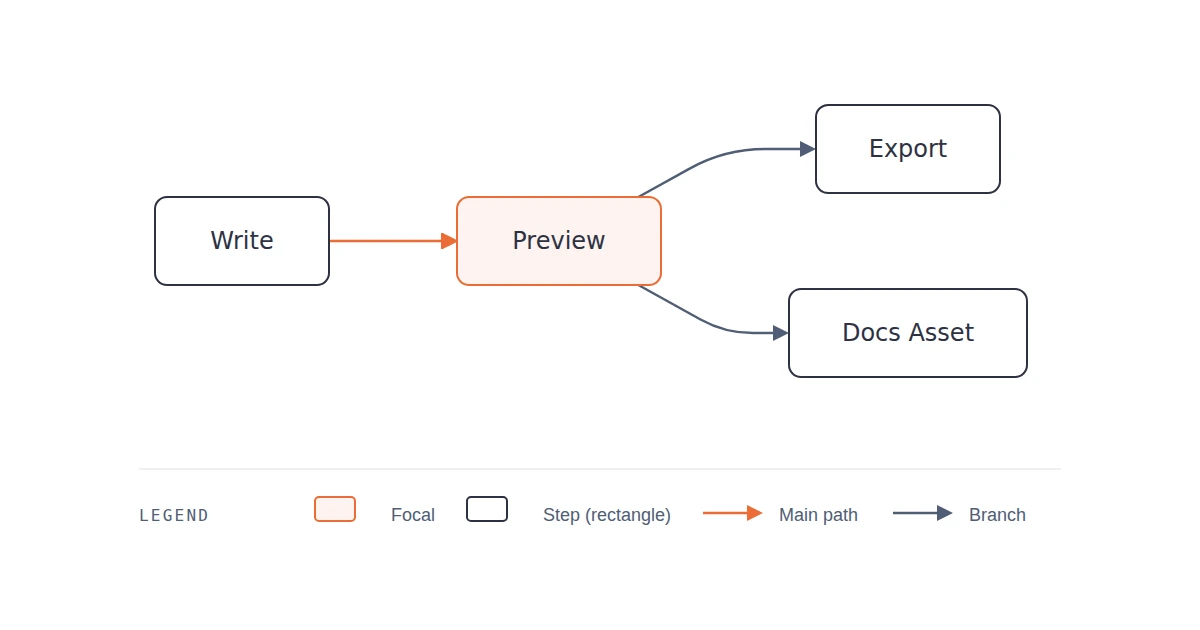
Both renders come straight from the site's editor in the Editorial style.
Subgraphs. Tell the model which nodes belong to which group (phase, team, or system) and require one subgraph per group. Grouping turns spaghetti into lanes. One warning: too many edges crossing group boundaries will tangle no matter how clean the groups are.
Splitting. Two signals say split: the diagram serves two audiences, or you can no longer follow it on one screen. Split by phase and connect the halves in prose ("after deployment, see the rollback flow"). For layout strategies that keep large diagrams readable, see our dedicated guide.
From fixed code to publish-ready diagram
Correct code is the input, not the deliverable. Where the diagram will live decides whether you ship the code or an image.
Ship the code when the destination renders Mermaid natively: GitHub and GitLab markdown, Obsidian, most wikis. The fence stays editable, diffs cleanly in review, and never goes blurry. The README specifics are in our guide to Mermaid in GitHub README files.
Export an image when the destination cannot render Mermaid: slide decks, PDFs, Word documents, email, most blog platforms. PNG embeds anywhere; SVG stays sharp at any zoom. Our guide on how to export the diagram as a PNG covers the mechanics.
Either way the pipeline is the same: generate with a locked prompt, validate with the checker loop, export. Our walkthrough of exporting AI-generated Mermaid covers the path end to end. All of it runs in mermaidonline.org: paste, validate, fix, and export on one page, with free exports and no signup. Questions or feedback about this guide? Contact us at hello@mermaidonline.org — we read everything.
FAQ
Why does ChatGPT keep generating broken Mermaid code?
Because it predicts plausible Mermaid instead of parsing what it wrote, and its training data is full of broken snippets. The failures concentrate in four places: unquoted special characters in labels, narration inside the fence, statements crammed onto one line, and full-width punctuation.
How do I fix "Syntax error in text" in Mermaid?
Three steps. Paste the code into a Mermaid syntax checker that reports the offending line number. Match that line to one of the four root causes in the table above. Then feed the exact error back to the model and ask for a complete re-output.
What is the best prompt for AI Mermaid diagram generation?
One that locks the output to a single mermaid fence, names the diagram type and direction, requires double-quoted labels and one statement per line, and forces a self-check before answering. Pattern 2 above is the full template.
Can AI generate Mermaid diagrams with Chinese labels?
Yes. Chinese characters inside quoted labels render fine. What breaks is full-width punctuation: (), 「」, and , either replacing ASCII delimiters or sitting unquoted in labels. Use ASCII shape delimiters, wrap labels in double quotes, and keep label punctuation half-width.
Make the parser do the work
Four root causes, three prompt patterns, one validation loop. The mental model underneath all of it: the model writes plausible Mermaid, the parser accepts only grammatical Mermaid, and nothing in between checks the difference for you. Your prompt supplies the constraints the model cannot enforce; the checker supplies the parser the model does not have.
Take the last diagram an AI gave you and run it through the loop. Paste it in, read the named line, match it to the table, then fix it in thirty seconds or hand the exact error back. After one or two rounds you will have a diagram that renders, and a prompt template that keeps rendering. And a diagram that renders can do more than sit still: in Archify online: interactive diagrams in your browser we show how the same code becomes an explorable map with route tracing and lenses.
Try it while you are here
Paste any Mermaid code from this post into the online editor and export it as a crisp PNG, SVG, or PDF — free, no signup, no watermark.