Mermaid Diagram Design
Most diagram styling stops at colour. Design is a set of decisions: what the reader should look at first, how much weight a line deserves, which labels recede. The Editorial style makes those decisions for you and applies them to the Mermaid code you already have — no drawing tool, no manual clean-up.
Renders in your browser · Free to preview · Export with Pro or 2 credits · PNG, SVG, JPG, WebP, PDF
What Editorial actually changes
One subject, one accent
A single accent colour lands on the node the diagram is really about — the hub everything routes through, the outcome a decision leads to. Chosen by structure, not at random, and never more than one.
Hairlines, not heavy boxes
Every stroke is clamped to a hairline weight, so the connections read as relationships instead of pipework. Mermaid ships some types with 8px and 11px lines; those are the loudest thing on the canvas.
Labels that recede
Edge labels drop to a small monospace face and lose their background plate. They stay readable when you need them and stop competing with the nodes when you do not.
A legend it works out
If the diagram uses cylinders for stores and rectangles for steps, the legend says so — generated from the shapes actually present, not a fixed key pasted onto every image.
The same style across six diagram types
Each of these is an example the tool ships with, rendered in Editorial from unedited Mermaid source. Load the same example in the editor below and you will get the same diagram.
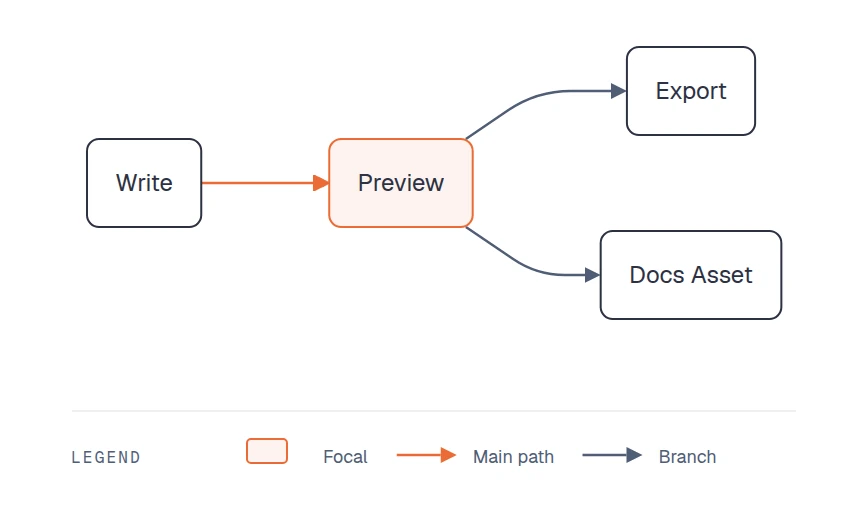
Flowchart
The accent picks out the node the flow converges on, so the eye has somewhere to start.
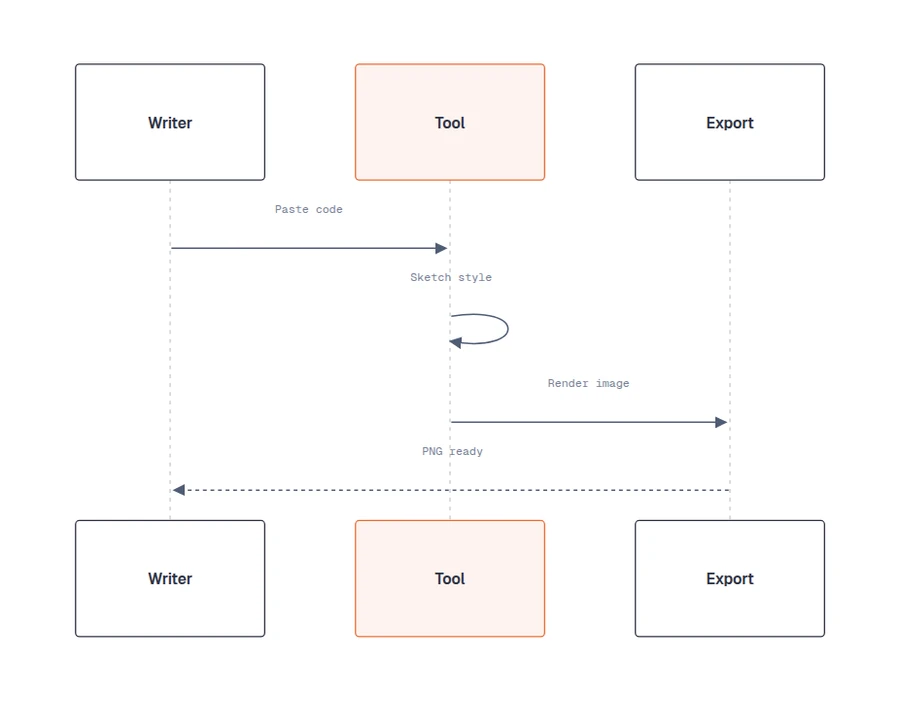
Sequence
The participant doing the work is marked at both ends of the diagram; messages stay light so the order reads first.
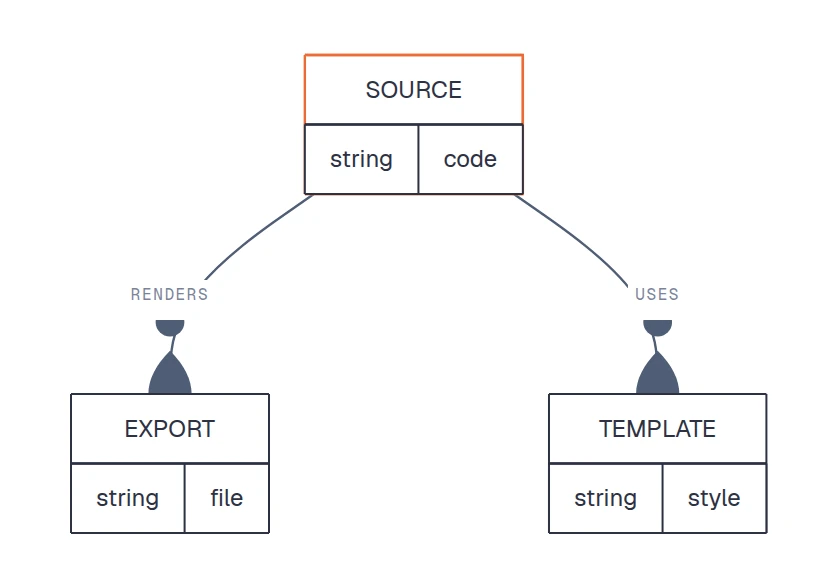
ERD
Entity headers separate from their attribute rows, and the root entity carries the accent instead of a heavier border.
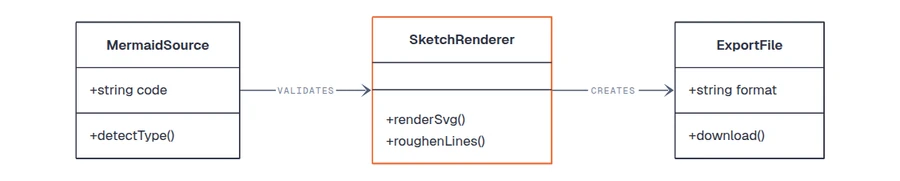
Class
Class boxes lose their fills and keep their structure — the type names stay the loudest thing in the frame.
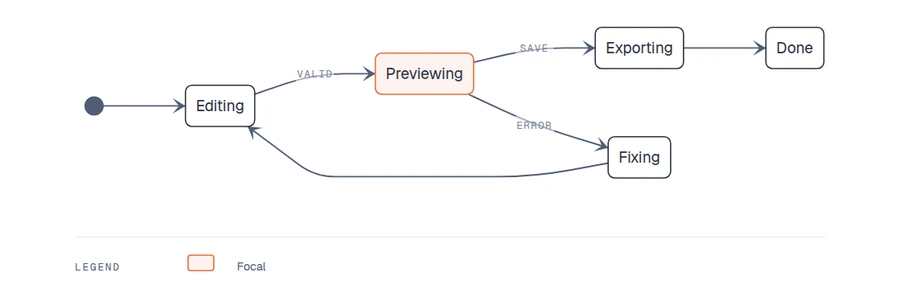
State
Transitions thin out to hairlines, so a state machine reads as a path rather than a tangle.
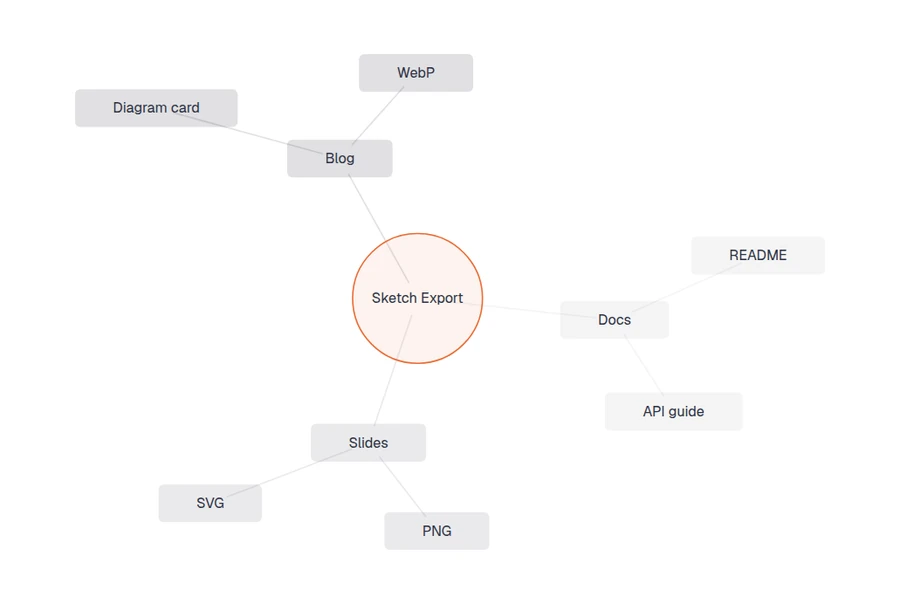
Mindmap
Mermaid draws mindmap branches at 11px by default. Clamped to a hairline, the hierarchy is what you notice.
Try it on your own diagram
Paste your Mermaid code, or load one of the examples above. Editorial sits under the Advanced style tier — previewing is free, and exporting takes Pro or a single credit.
Export controls activate after your diagram renders locally.
Questions
How does it decide which node gets the accent colour?
By structure, in a fixed order: the node the most paths converge on, then the outcome an affirmative decision branch leads to, then the node the most paths fan out from, and finally a terminal node. The rules run on the diagram you wrote, so the same code always produces the same accent — nothing is sent to a model and nothing is random.
Does it change my Mermaid code?
No. Your source stays exactly as you wrote it. The style is applied to the rendered diagram, so you can switch to any other style, or back to plain Mermaid, without editing a line.
Which diagram types does Editorial support?
All the common ones: flowchart, sequence, class, state, ERD, mindmap, Gantt, timeline, pie, quadrant, gitGraph, and C4. Each type needs its own handling — a mindmap sizes its root circle from its own metrics, C4 reads colours from the diagram config rather than the theme — so they are tuned individually rather than sharing one palette swap.
Is it free?
Previewing is free for everyone and there is no watermark anywhere on this site. Editorial is an Advanced style, so exporting the file needs Pro or two credits — signing in gives you 10 credits to start.
Can I get this look without the premium style?
Partly. The themeVariables reference on the themes page shows how to set fonts, line colours, and backgrounds by hand in a %%{init}%% block. What you cannot reproduce that way is the structural work: the focal accent, the stroke clamping, the generated legend, and the per-diagram-type fixes all happen after Mermaid has rendered.