Mermaid Online
Diagram type · Mindmap

Mermaid Mindmap

A Mermaid mindmap is an indented outline: one root, and every line indented further than the line above it becomes that line's child. Write the outline you would write anyway, and Mermaid lays it out around the root.

No signup · No watermark · Renders in your browser · PNG, SVG, JPG, WebP, PDF

Three mindmaps you can copy

Each example is real Mermaid code, shown with the image it renders in the Clean Docs style. Paste any of them into the editor below and change the labels.

Plan from an outline

Indentation alone sets the hierarchy. The root gets a circle with ((double parentheses)); everything else uses the default shape.
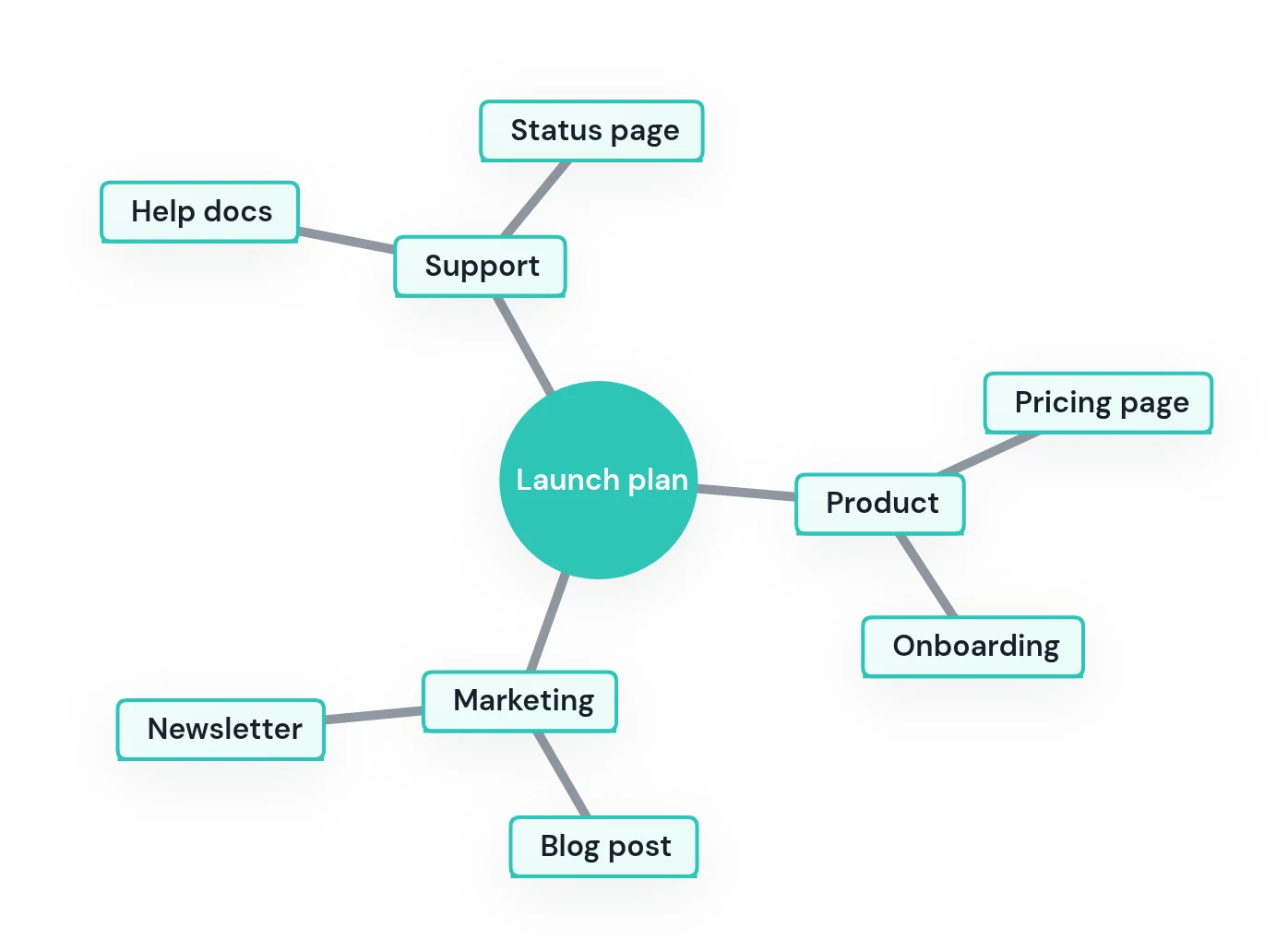
Mermaid mindmap with a Launch plan root and Product, Marketing and Support branches
mindmap
  root((Launch plan))
    Product
      Pricing page
      Onboarding
    Marketing
      Blog post
      Newsletter
    Support
      Help docs
      Status page
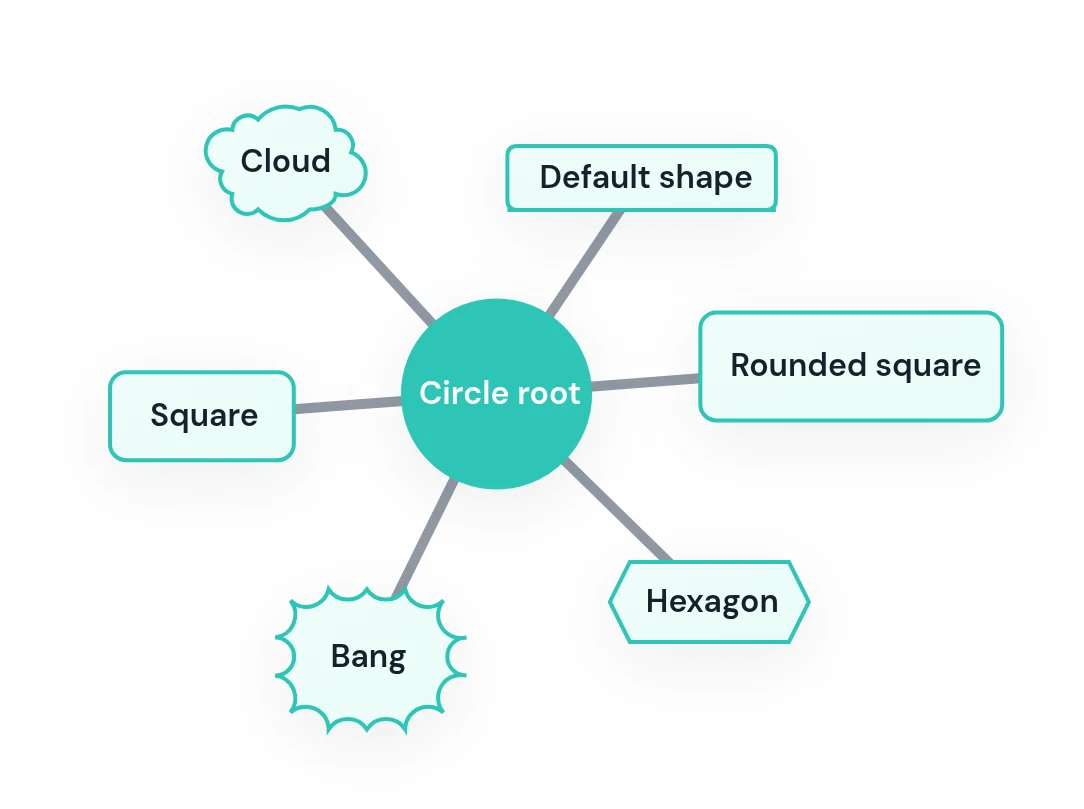
Every node shape

Shapes use an id followed by delimiters around the text, much like flowchart nodes. A line with no id and no delimiters gets the default shape.

Mermaid mindmap showing circle, square, rounded square, hexagon, bang, cloud and default node shapes
mindmap
  root((Circle root))
    sq[Square]
    rs(Rounded square)
    hx{{Hexagon}}
    bg))Bang((
    cl)Cloud(
    Default shape

Bold, italics and long labels

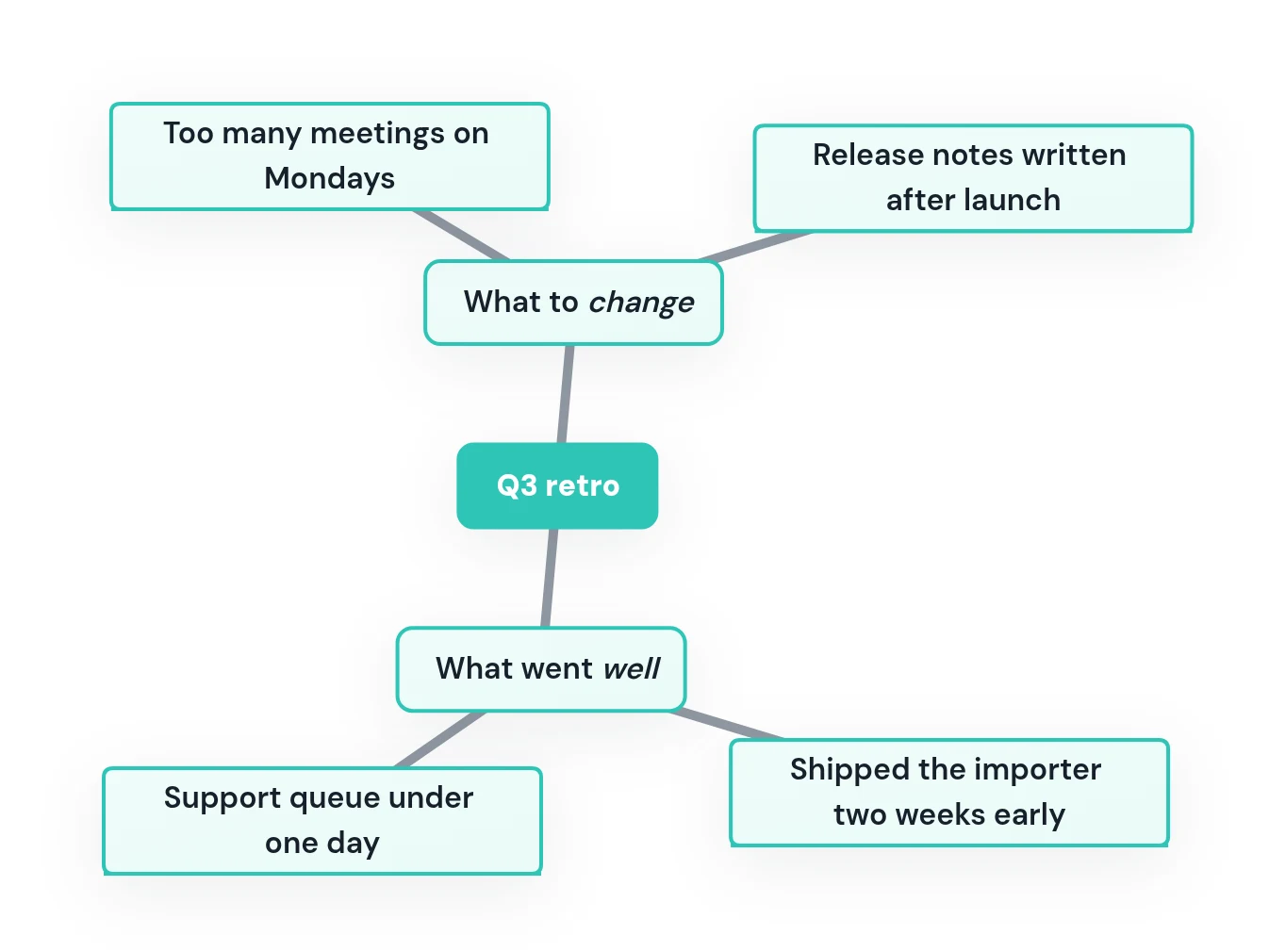
Wrap a label in quotes and backticks to make it a Markdown string: **bold** and *italic* work, and long text wraps inside the node.

Mermaid mindmap of a Q3 retrospective with bold root text and italic branch labels
mindmap
  root["`**Q3 retro**`"]
    went["`What went *well*`"]
      Shipped the importer two weeks early
      Support queue under one day
    change["`What to *change*`"]
      Too many meetings on Mondays
      Release notes written after launch

Mindmap syntax at a glance

Node shapes

id[Text]
Square.
id(Text)
Rounded square.
id((Text))
Circle — a common choice for the root.
id))Text((
Bang.
id)Text(
Cloud.
id{{Text}}
Hexagon.
Text
Default shape, no id needed.

Structure and extras

mindmap
Starts the diagram. Exactly one root line follows it.
indentation
Deeper than the line above = child. Only relative depth matters; spaces or tabs both work.
"`**bold**`"
A Markdown string: bold, italics, and automatic wrapping.
::icon(fa fa-book)
An icon on the node above. Needs the icon font loaded by the site that renders it.
:::urgent
CSS classes on the node above. The classes have to be defined by the site.

Edit the launch plan and export it

The editor starts with the launch plan example. Change the outline, pick a style, and download a PNG or SVG — the diagram renders locally in your browser.

Paste or edit Mermaid code
Replace the sample below, or load another example.
Load example
Paste Mermaid code here. Preview and export load locally in your browser.
Live previewSample preview · Clean Docs

Write

Preview

Export

Docs Asset

Render & export

Export controls activate after your diagram renders locally.

Mindmap
Mode
Default renderNative MermaidOptimized exportStyled download
Export style
Clean DocsGitHub READMEGitHub DarkTransparent DocsWarm Editorial✦ ProWhiteboard Sketch✦ ProAurora Noir✦ ProBlueprint✦ ProChampagne✦ ProEmerald Suite✦ ProEditorial✦ Pro
Scale
1x2x4x
Or exact width, e.g. 1200px wide
Output: White · comfortable padding
Size: calculated after render
Filename: mermaid-mindmap-white-2x.png

Questions

How do I make a mindmap in Mermaid?

Write mindmap on the first line, then the root on the next line, then the rest as an indented outline. Each line indented further than the one above it becomes its child; lines at the same depth are siblings.

Why do I get "There can be only one root"?

A Mermaid mindmap has exactly one root. If two lines sit at the root's indentation, the second has no parent and the diagram fails. Indent everything under a single top line, or add a root that the existing top-level lines can hang from.

Does the amount of indentation matter?

Only relative to the lines around it. A line indented deeper than the line above is its child, whatever the exact number of spaces; tabs work too. When indentation is ambiguous, Mermaid attaches the line to the nearest line above that is clearly shallower.

How do I change the shape of a node?

Give the node an id and wrap the text in delimiters: id[square], id(rounded), id((circle)), id))bang((, id)cloud( or id{{hexagon}}. A line with plain text and no delimiters uses the default shape.

Can I use bold or italic text in a mindmap?

Yes. Write the label as a Markdown string — quotes around backticks around the text — and use **bold** or *italic* inside it. Markdown strings also wrap long text automatically, so you do not need <br> tags.

Why don't my mindmap icons show up?

::icon() only names an icon; the icon font itself, such as Font Awesome, has to be loaded by the page that renders the diagram. Where it is not loaded, the node renders without the icon.

How do I export a Mermaid mindmap as an image?

Paste the code into the editor on this page, pick a style, and download PNG, SVG, JPG, WebP or PDF. Use a transparent background to place the mindmap on coloured slides, with no watermark and no signup.