Mermaid Online
Diagram type · Timeline

Mermaid Timeline Diagram

A Mermaid timeline is a list of time periods, each followed by one or more events, drawn left to right in the order you write them. It suits release histories, roadmaps and incident write-ups — anything where the question is what happened when, not how long it took.

No signup · No watermark · Renders in your browser · PNG, SVG, JPG, WebP, PDF

Three timelines you can copy

Each example is real Mermaid code, shown with the image it renders in the Clean Docs style. Paste any of them into the editor below and change the labels.

Release history

One period per line, then a colon and the event. Add more events to the same period with another colon on the same line, or on the next line starting with a colon.
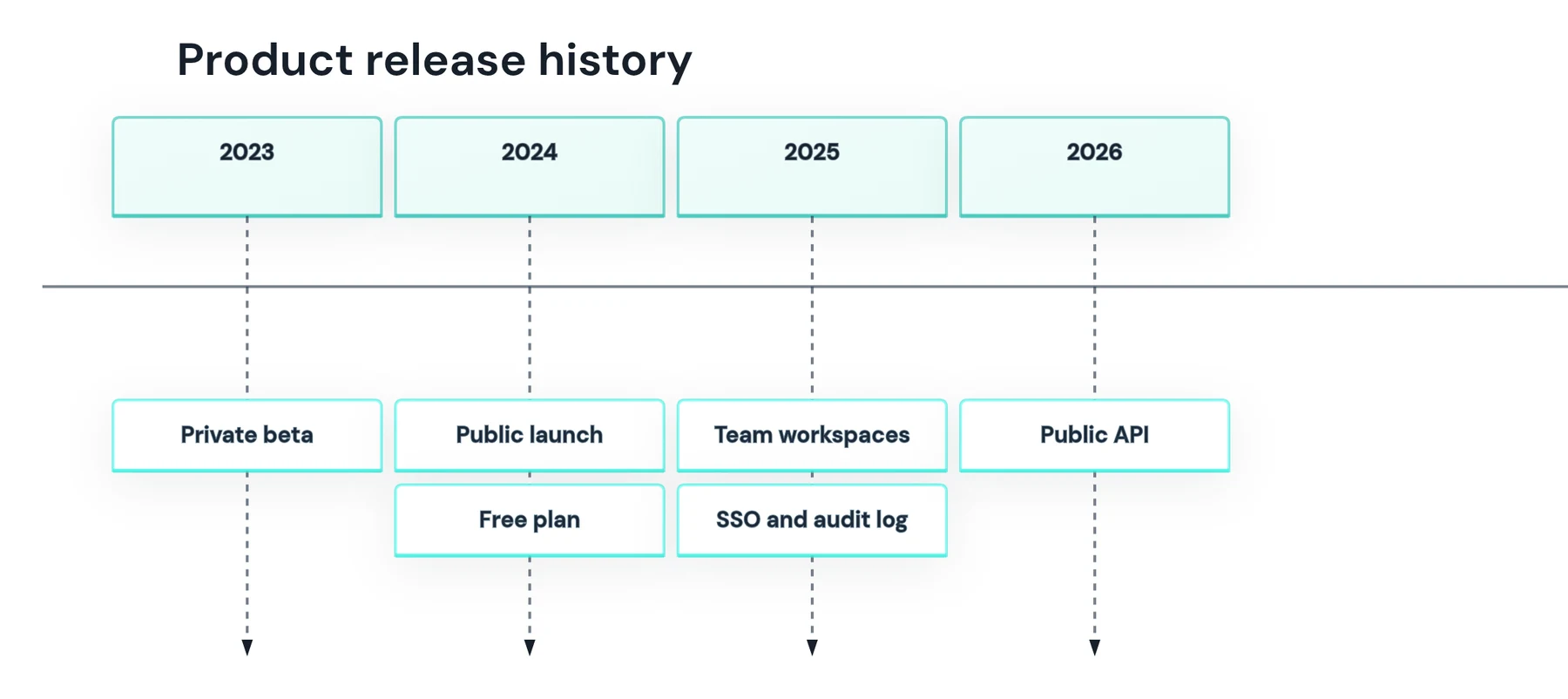
Mermaid timeline of a product release history from 2023 to 2026, with two events under 2024 and 2025
timeline
    title Product release history
    2023 : Private beta
    2024 : Public launch : Free plan
    2025 : Team workspaces
         : SSO and audit log
    2026 : Public API
Roadmap with sections

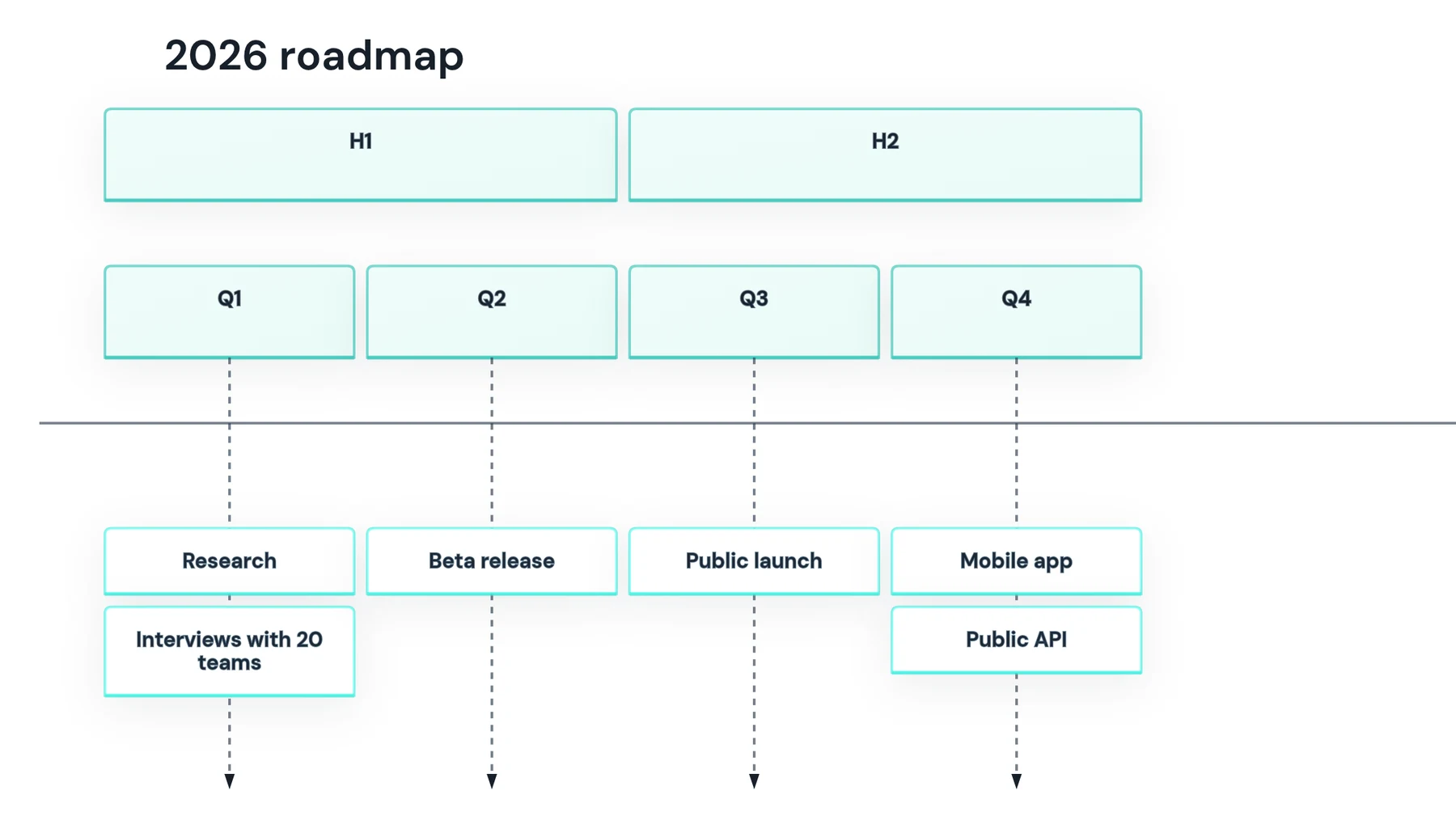
section groups the periods that follow it until the next section. The section label spans its periods, so the halves of the year read as blocks.

Mermaid timeline roadmap with H1 and H2 sections spanning quarters Q1 to Q4
timeline
    title 2026 roadmap
    section H1
        Q1 : Research : Interviews with 20 teams
        Q2 : Beta release
    section H2
        Q3 : Public launch
        Q4 : Mobile app : Public API

Vertical incident timeline

Write timeline TD to run the periods top to bottom, which suits long event text such as an incident log. Direction needs Mermaid 11.14 or later.

timeline TD
    title Incident 4721, minute by minute
    +0 min : Alert fires on checkout latency
    +8 min : On-call acknowledges
    +23 min : Bad deploy identified : Rollback started
    +39 min : Latency back to normal
    +2 h : Postmortem scheduled

Timeline syntax at a glance

Periods and events

timeline
Starts the diagram. Add TD after it for top to bottom; LR is the default.
title Text
An optional title above the timeline.
2024 : Event
One period with one event. Periods are plain text, not only years.
2024 : A : B
One period with two events, stacked top to bottom.
: C
A line that starts with a colon adds another event to the period above.
Text<br>more
Forces a line break; long text also wraps on its own.

Grouping and colour

section Name
Groups every period after it, until the next section, in one colour.
disableMulticolor
Set under timeline in the config block to draw all periods in one colour.
cScale0–cScale11
themeVariables for the background of each section or period, in order.
cScaleLabel0–11
themeVariables for the text colour on those backgrounds.

Edit the roadmap and export it

The editor starts with the roadmap example. Change the periods and events, pick a style, and download a PNG or SVG — the diagram renders locally in your browser.

Paste or edit Mermaid code
Replace the sample below, or load another example.
Load example
Paste Mermaid code here. Preview and export load locally in your browser.
Live previewSample preview · Clean Docs

Write

Preview

Export

Docs Asset

Render & export

Export controls activate after your diagram renders locally.

Timeline
Mode
Default renderNative MermaidOptimized exportStyled download
Export style
Clean DocsGitHub READMEGitHub DarkTransparent DocsWarm Editorial✦ ProWhiteboard Sketch✦ ProAurora Noir✦ ProBlueprint✦ ProChampagne✦ ProEmerald Suite✦ ProEditorial✦ Pro
Scale
1x2x4x
Or exact width, e.g. 1200px wide
Output: White · comfortable padding
Size: calculated after render
Filename: mermaid-timeline-white-2x.png

Questions

How do I make a timeline in Mermaid?

Start with the timeline keyword, optionally add a title line, then write one time period per line followed by a colon and the event: 2024 : Public launch. Add more events to a period with extra colons, and group periods with section lines.

Does Mermaid sort the periods by date?

No. Periods are plain text, so Mermaid draws them in the order you write them — the first line is the left end of the timeline. Put entries in chronological order yourself.

Why does a time like 09:30 break my timeline?

The colon is what separates a period from its events, so a period cannot contain one. Write the time as 09.30 or 9h30, or label periods by offset, like +15 min.

Can a Mermaid timeline be vertical?

Yes, from Mermaid 11.14: write timeline TD on the first line and the periods run top to bottom. Older renderers only draw timelines left to right, so check the Mermaid version of the site that will display it.

Why is every period a different colour?

Without sections, Mermaid gives each period its own colour by default. Group periods with section lines to colour them by group, or set disableMulticolor: true under timeline in the config block to draw everything in one colour.

Timeline or Gantt chart?

Use a timeline for events at points in time — what happened when. Use a Gantt chart when tasks have start dates, durations and dependencies, because a timeline has no notion of how long something takes.

How do I export a Mermaid timeline as an image?

Paste the code into the editor on this page, pick a style, and download PNG, SVG, JPG, WebP or PDF. PNG at 2x or 4x stays sharp in documents and slides, with no watermark and no signup.